How to play
Step 1
Either by using the ‘search’ option or scrolling down the active games list, find the game you wish to play and click the button ‘Buy tickets for this game’.

Step 2
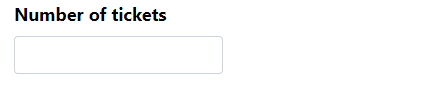
Input the desired amount of tickets you wish to purchase into the ‘Number of tickets’ field, noting the number of tickets available for this game up to a limit of 12,000 tickets at any one time.
Step 3
Input your Bitcoin Wallet receive address. Please note that any errors in these will result in you losing or not receiving Bitcoin.

Step 4
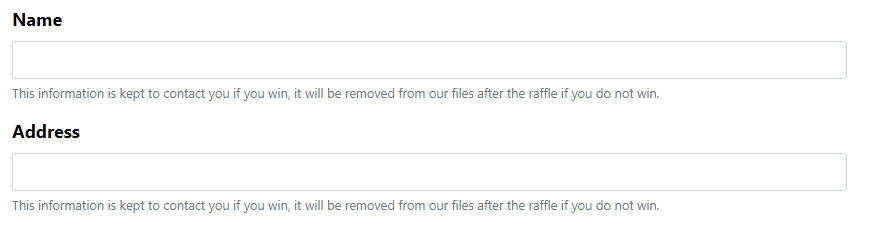
Fill in Name and Address fields.
Step 5
Enter your email address so that we can contact you regarding your ticket confirmation and the completion of the raffle.

Step 6
Tick box to give your consent for us to contact you if you win and to register you on our database for the lifetime of this game. Then click ‘Reserve’.

Step 7
Arrive at the transaction pending page.
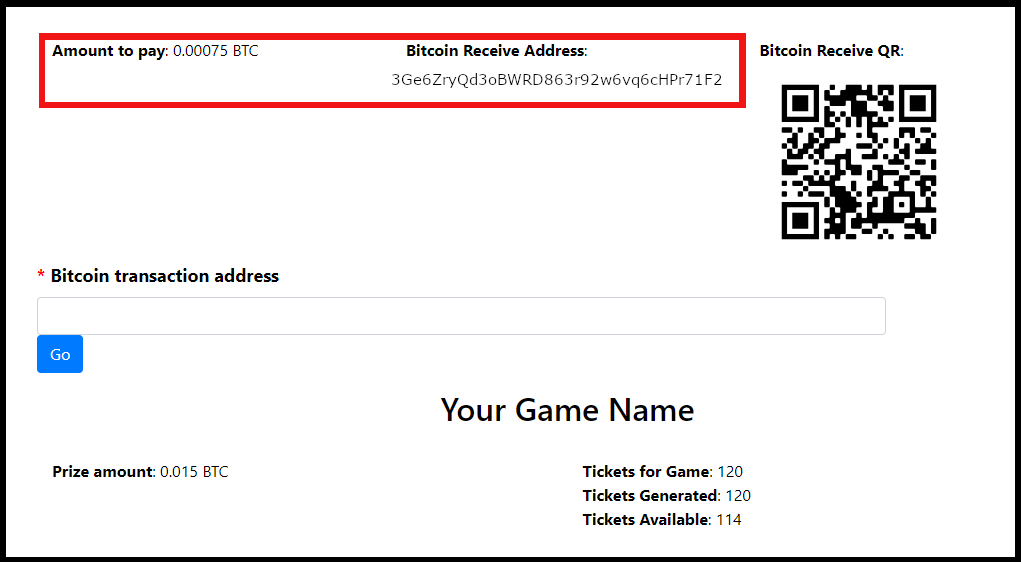
Now you can proceed with sending the designated amount stated ‘Amount to pay’ of Bitcoin to our receive address.
Step 8
Copy our receive address, then paste into your Bitcoin Wallet ‘receive field’ and send us the designated amount of Bitcoin.
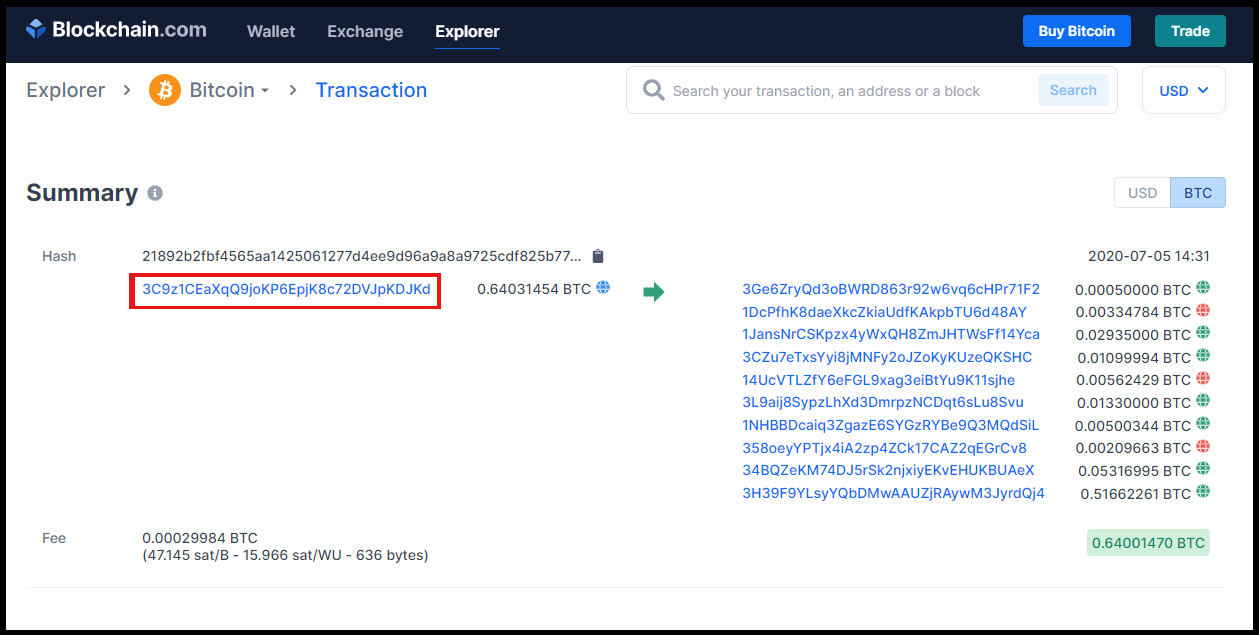
Once confirmed in your Bitcoin transactions, there will be a link displayed in your most recent transaction. Click the link, and you should be redirected to the Blockchain screen.
Click on the highlighted link in the summary.
Step 9
On the next page, left-click on the notepad icon next to the transaction code. This will copy the code.
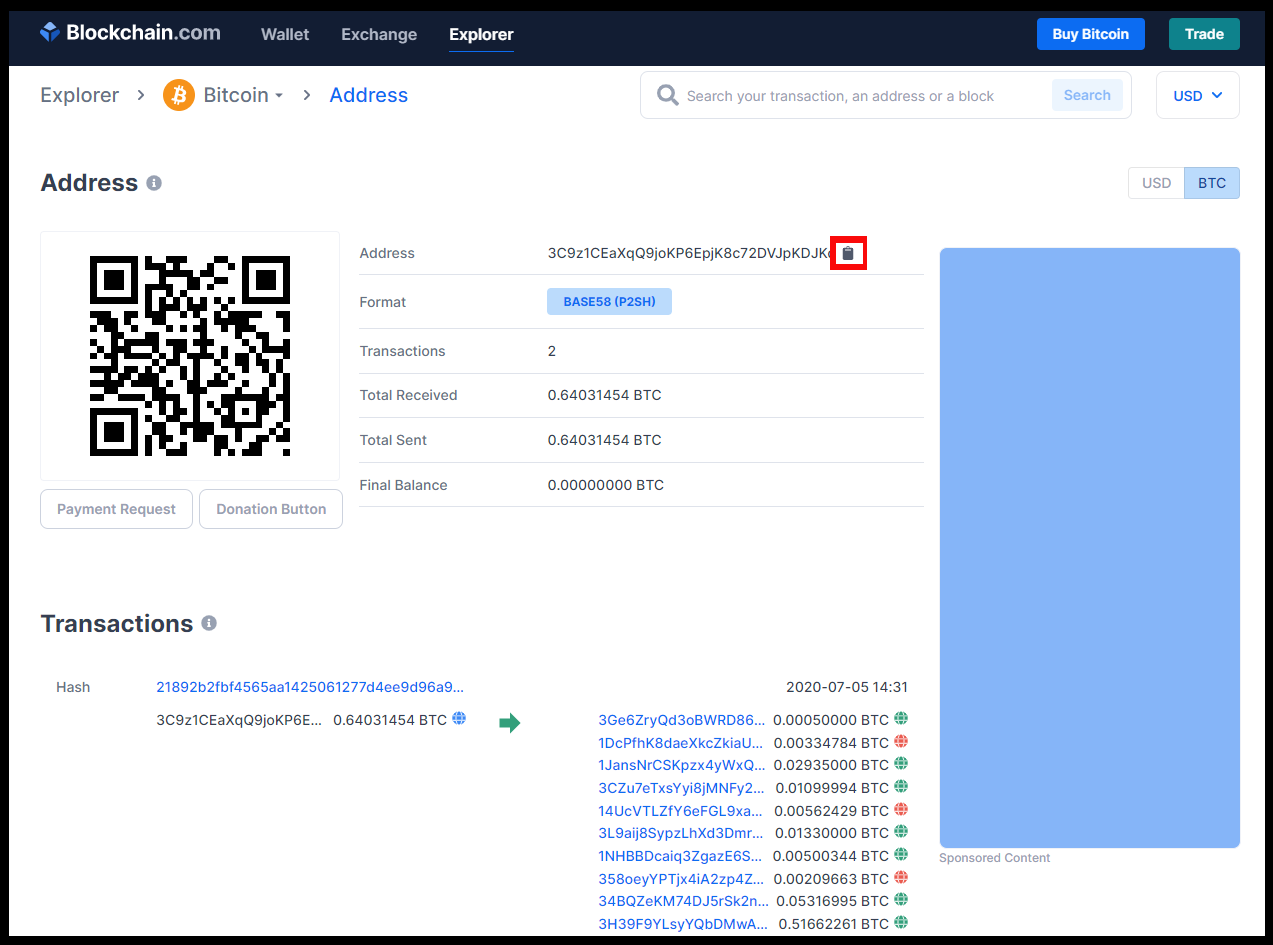
Step 10
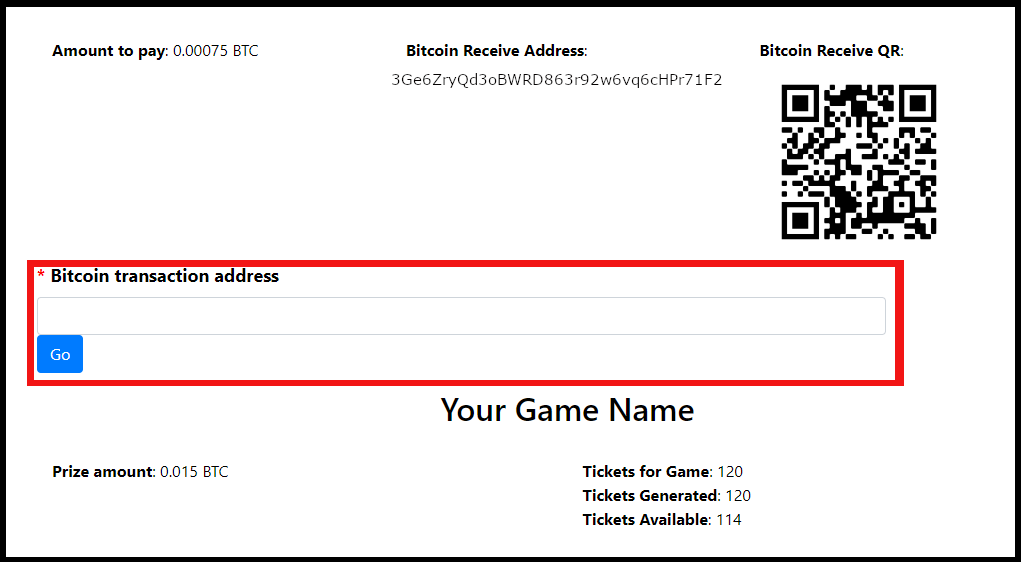
Return to Bitcompetition.com and right-click and paste the code into the Bitcoin transaction address field.
Now all you have to do is click ‘Go’, and your transaction is submitted.
You will receive an email when your transaction is completed and confirmed.
Good luck, and thank you for playing with Bitcompetition.com!